 |
Configure
- Operating System: Windows 95
- Application: Netscape Mail
|
- Open Netscape Navigator.
- From the menu bar, click Optionsand select Mail
and News Preferences.
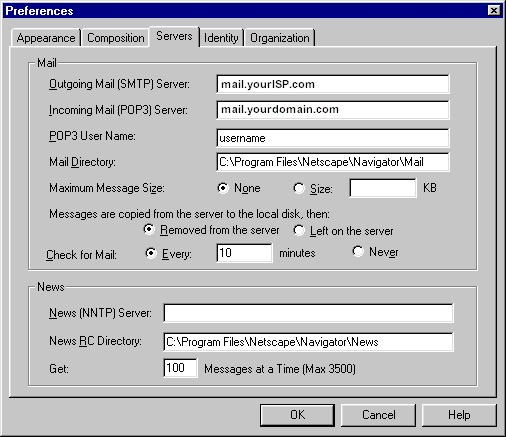
- Click the Servers tab.
- In the Outgoing Mail (SMTP) Server text box, enter
mail.yourISP.com
- In the Incoming Mail (POP3) Server text box, enter
mail.yourdomain.com
- In the POP3 User Name text box, enter your username.
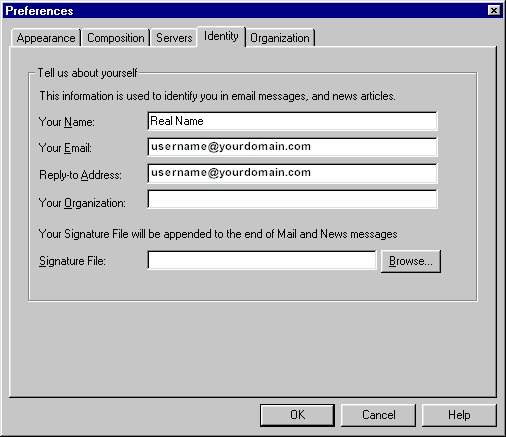
- Click the Identity tab.
- In the Your Name text box, enter your name.
- In the Your e-mail text box, enter:
username@yourdomain.com.
- In the reply-to-address text box, enter your e-mail
address: username@yourdomain.com.
- Click the OK button.
- From the menu bar, click Window and select
Netscape Mail.
- Enter your password and click OK.
- Click File.
- Click Get New
Mail.
|